Phone on a stand
Side-on and level with the box. Do not move it during the session.
Adaptive · concierge early access
Save a side-on clip to the synced session folder. VaultLab measures it, compares it with the athlete's archive and refreshes one evidence-backed next test before the following attempt.
Protect the 169° finish.
REAL DALLIN VALUES · PRODUCT EARLY-ACCESS VIEW
The walk-back loop
The timing below reflects the current Dallin workflow. The output is a source-backed experiment, not a generic AI cue; upload speed still depends on signal.
The camera roll or shortcut saves the jump into the session folder.
The new file is detected without another button press.
Pose, pole, scale, metrics and the ranked finding are assembled.
The result joins the session while the previous attempt is still fresh.
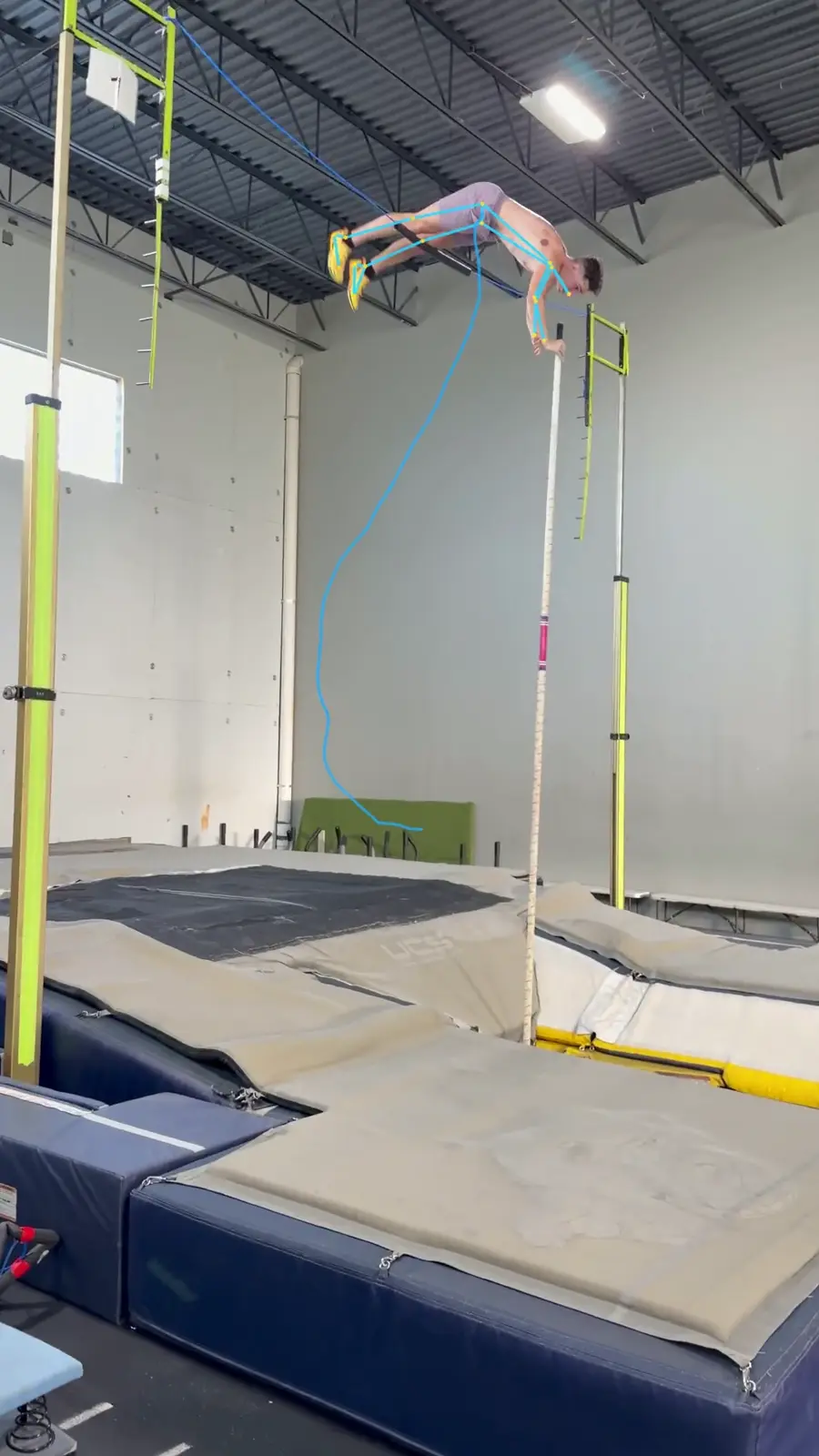
IMG_1326 · KEY FRAMEOne frame, not ten charts
The live page carries one verdict, four headline measurements, the frame that proves it and the recent session sequence. Full reports stay available after practice.
One evidence-backed change for the next attempt.
Approach, takeoff, inversion and push against the session.
The visual moment behind the number.
The pattern before memory smooths it over.
Dallin · real session sequence
What practice needs
Side-on and level with the box. Do not move it during the session.
The current early-access workflow watches one folder per athlete.
Enough bandwidth to move the clip; the analysis begins after upload.
Get started
Live Mode is included for Adaptive athletes during concierge early access.